Home Top Niches
Dropshipping Services
Branding Service Inventory Storage Product Sourcing Fulfillment Solutions White Label Dropshipping Private Label Dropshipping
Fulfillment Services
Amazon Fulfillment Ebay Fulfillment Etsy Fulfillment Shopify Fulfillment TikTok Shop Fulfillment WooCommerce Fulfillment
Launch Your Brand
Branding Support Store Design Shopify App Design Label Design Financial Services Custom Solutions
About Us
About Us Blog FAQs Our Team Free Quote Integrations Testimonials

WooCommerce Fulfillment From China, Connected to Your Store

Connect your WooCommerce store through the approved DailyFulfill workflow. Once permissions, products, SKUs, inventory source, and fulfillment rules are mapped, eligible orders can enter our system and tracking can return after dispatch.

Mapped Order Import • Post-Dispatch Tracking Updates • 6–12 Days US • 3–8 Days Europe

Your WooCommerce Store Is Flexible. Your Fulfillment Workflow Should Be Clearly Defined.

WooCommerce gives you control over your storefront, product data, extensions, and customer experience. Fulfillment should connect to that environment through an agreed workflow for permissions, products, inventory, order checks, packing, shipping, tracking, and exceptions.

✔ Why serious sellers choose WooCommerce

What a WooCommerce fulfillment connection should preserve

🔒
Controlled store authorization
Confirm which WooCommerce permissions and order fields are needed for the agreed fulfillment workflow.
🛠️
Store-specific mapping
Products, variations, SKUs, inventory sources, and custom fields are reviewed before live orders begin.
🌐
International order rules
Currencies, destinations, shipping methods, and relevant order data are mapped to the operating plan.

Where the fulfillment workflow can break down

A store connection is only one part of fulfillment. Without agreed rules for data, stock, order verification, packaging, shipping, and exceptions, automation can move the wrong information faster instead of preventing errors.

🐈
Problem 1

Unmapped order or variation data

Products, variations, bundles, custom options, or fulfillment locations may not enter the workflow correctly until store fields and SKUs are mapped.

🔐
Problem 2

Unclear permission and data scope

The connection should define which order information is required, how it is used, and who handles data that is missing, changed, or rejected.

💰
Problem 3

Currency and plugin differences

Multi-currency plugins, custom checkout fields, taxes, and store extensions can change the order data available through the connection and should be tested.

📦
Problem 4

Undefined packing and order checks

Blank packaging, branded materials, inserts, bundles, and order-level checks need written rules rather than assumptions based on the storefront design.

What an agreed WooCommerce workflow should do: connect the store, map required data, define inventory and order checks, return available tracking after dispatch, and keep exceptions visible for review.
Plan My WooCommerce Fulfillment Pricing and service scope are confirmed before fulfillment begins
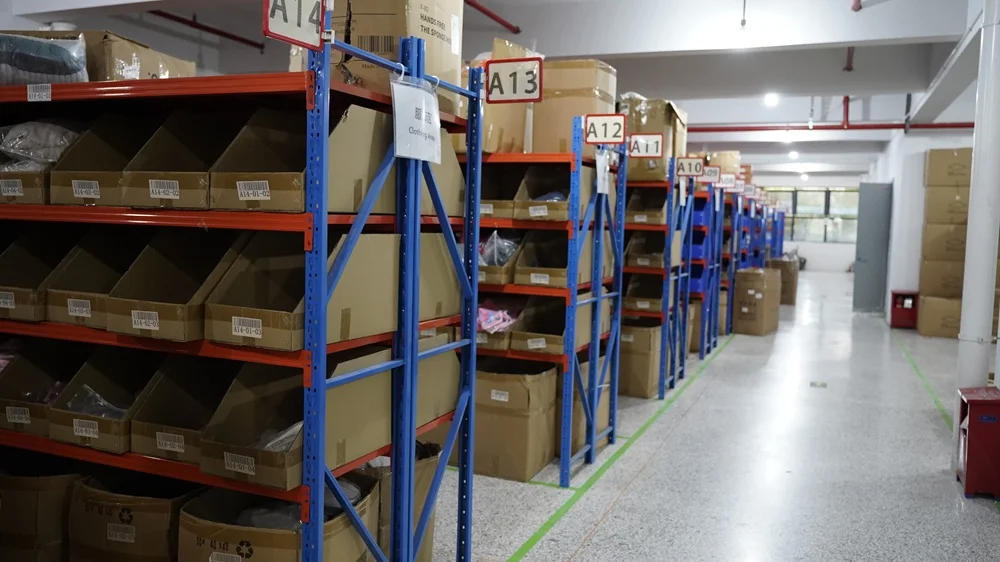
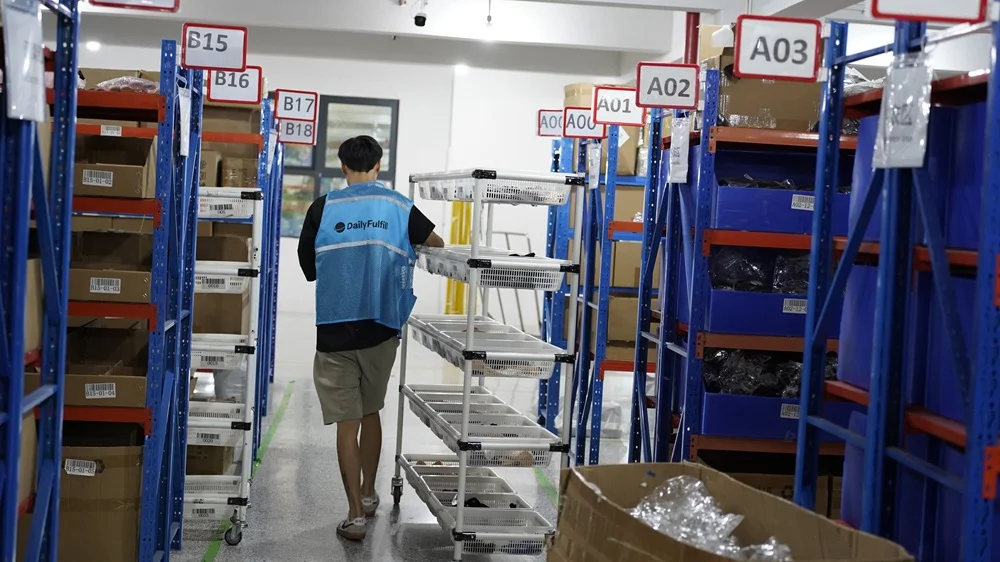
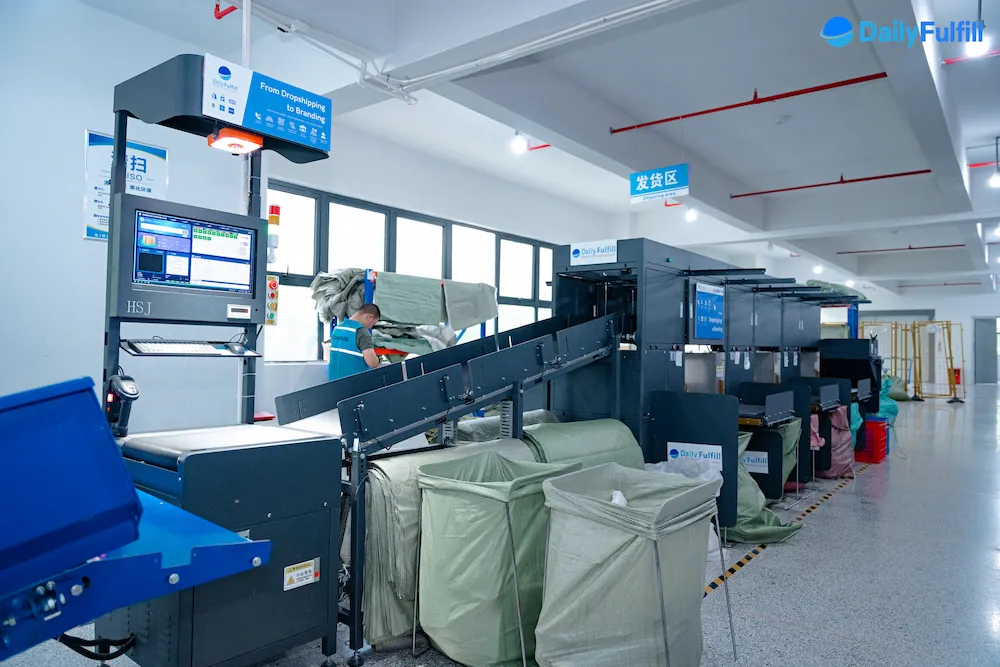
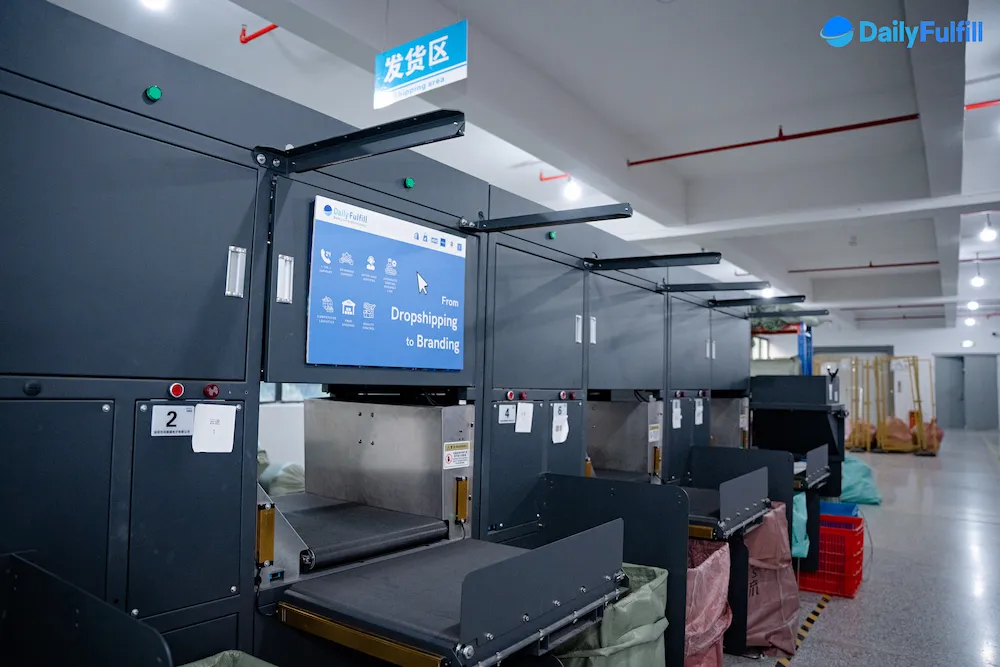
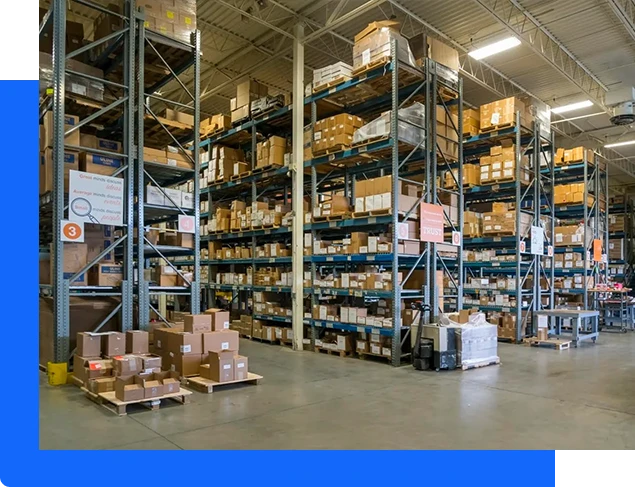
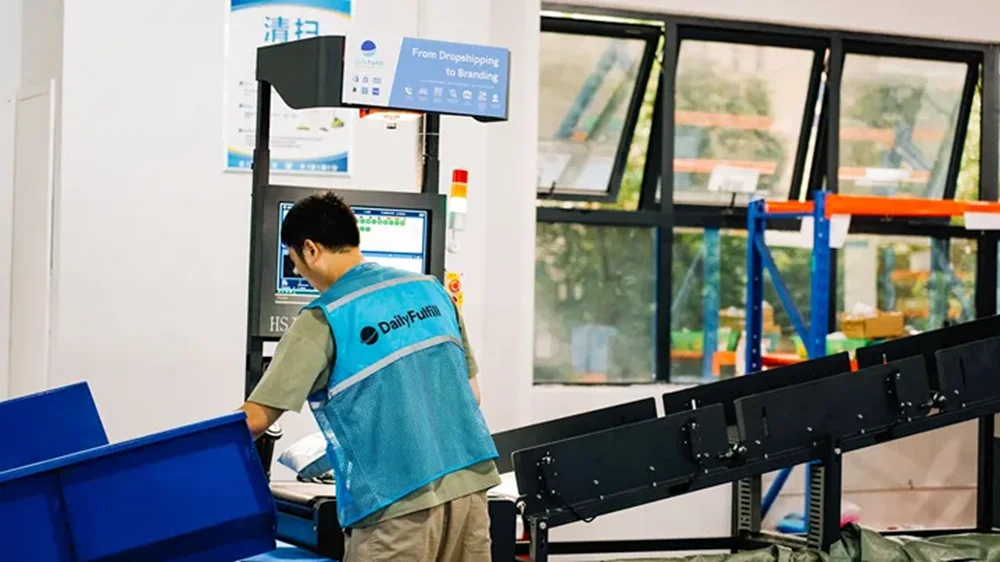
Inside Our Warehouse

This is where your orders are packed.

Yiwu + Guangzhou 8,400 m² warehouse space 20,000 orders/day
DailyFulfill fulfillment warehouse in Yiwu, China
Main Storage
DailyFulfill packing station
Packing
DailyFulfill quality inspection area
Inspection
DailyFulfill outbound dispatch area
Dispatch

Connect WooCommerce Through an Approved Store Workflow

Connect the store, confirm permissions, and map products, variations, SKUs, inventory source, and fulfillment rules before eligible orders enter the workflow.

3
Setup Stages
Connection speed depends on access, store configuration, product and SKU mapping, inventory source, and test results. Live orders begin only after the operating scope is confirmed.
How the Connection Works
1
🔐
Create your DailyFulfill account
Create an account and provide the store and operating contact information needed for onboarding.
➜
2
🔧
Connect and map WooCommerce
Authorize the store, then map products, variations, SKUs, inventory source, and fulfillment location.
➜
3
✅
Confirm scope and test
Confirm pricing, order checks, packing, shipping, and exceptions, then test the agreed order and tracking workflow before launch.
✓ What the Connection Handles

Move approved WooCommerce data through the workflow

  • ✓
    Connect through the approved WooCommerce API workflow — confirm the store permissions and access needed for the agreed scope
  • ✓
    Import eligible orders after mapping — products, variations, SKUs, stock source, and fulfillment location must match
  • ✓
    Return tracking data after dispatch — available tracking and fulfillment status are sent back after a shipment is created successfully
  • ✓
    Confirm theme, plugin, and custom-field compatibility — store-specific configurations may change the data available through the connection
  • ✓
    Keep operational exceptions visible — missing, changed, held, rejected, or unsupported orders require review
✕ What Still Needs a Decision

Automation does not replace operating rules

  • ✕
    Every order can enter automatically — holds, duplicates, address changes, out-of-stock items, and special handling may need confirmation
  • ✕
    Every custom field is mapped by default — custom checkout, bundle, subscription, or plugin data should be checked before launch
  • ✕
    Tracking exists before dispatch — tracking can return only after a shipment is created successfully
  • ✕
    The connection defines QC or packing scope — order checks, inserts, branding, bundles, and inspection requirements need separate written rules
  • ✕
    Authorization removes manual decisions — exceptions and responsibility boundaries still require an agreed owner and process
Plan My WooCommerce Connection Connection and operating scope are confirmed before live orders begin
WooCommerce Automation Boundary

Know what the connection handles—and what still needs a decision

The connection can move approved order and tracking data, but reliable fulfillment still depends on mapped product data, available inventory, agreed checks, packing, shipping, and exception rules.

01

Eligible order import

Orders can enter DailyFulfill after store authorization, products, variations, SKUs, inventory source, and fulfillment location are mapped.
02

Tracking after dispatch

Tracking and fulfillment status can return to WooCommerce after a shipment is created successfully. Rejected or incomplete updates remain exceptions for review.

03

Manual exception handling

Holds, cancellations, address changes, duplicate orders, out-of-stock items, custom fields, split shipments, and special handling may need confirmation.

Confirm before launch

Store permissions, product and variation mapping, SKU rules, inventory source, fulfillment location, cut-off time, shipping routes, order-level checks, packing rules, cancellation and address-change rules, and who resolves synchronization exceptions.

Multi-Currency and International Orders Need Mapped Rules

WooCommerce stores may accept different currencies, languages, shipping methods, and checkout fields. The fulfillment workflow should use approved order data and route rules rather than assume every store configuration behaves the same way.

💵

Multi-currency order data, mapped before launch

Currency display, payment settlement, fulfillment pricing, and shipping rules are separate fields that should be confirmed.

$ USD € EUR £ GBP C$ CAD A$ AUD CHF + more

If your store uses WPML, WooCommerce Multilingual, CurrencySwitcher, a custom checkout, or other extensions, confirm how currency, tax, shipping, product, variation, and SKU data appear through the connection before live orders begin.

Estimated transit after dispatch

Preparation time is separate from transit time. For pre-stocked, order-ready inventory, the shipping route and estimate are confirmed by destination, product attributes, parcel weight and size, customs requirements, and current carrier conditions.

🇺🇸 United States
6–12 estimated transit days
Route confirmed for the destination, product, parcel data, and current carrier conditions
🇪🇺 European Union
3–8 estimated transit days
Route confirmed for the destination, product, parcel data, and current carrier conditions
🇬🇧 United Kingdom
3–8 estimated transit days
Route confirmed for the destination, product, parcel data, and current carrier conditions
🇨🇦 Canada, Australia & more
Varies by destination
Route and estimate confirmed for the destination and product before launch
Fulfillment Scope

Clear operating terms before orders begin

  • ✓
    Same-business-day processing for eligible inventory — pre-stocked, order-ready inventory confirmed before the agreed cut-off can usually be processed the same business day. Preparation time is separate from transit time.
  • ✓
    Standard storage for active clients — free within the agreed scope. Exceptional, oversized, inactive, transfer-out, or disposal arrangements are confirmed separately.
  • ✓
    Two quality-control checkpoints — inbound receiving and order-level verification are standard workflow stages. Sampling, full inspection, functional tests, photos, and product-specific checks are scoped separately.
  • ✓
    Blank or custom packaging under an agreed rule — boxes, bags, cards, inserts, stickers, and labels depend on the project MOQ, cost, lead time, storage eligibility, and confirmed packing instructions.
  • ✓
    Post-dispatch tracking updates — available tracking and fulfillment status can return after a shipment is created successfully. Rejected or incomplete updates are handled as exceptions.
  • ✓
    Evidence-based after-sales resolution — reshipment, refund, credit, carrier claim, or another solution depends on the evidence, confirmed cause, responsibility boundary, and agreed policy. There is no blanket automatic “100% compensation” promise.
Plan My WooCommerce Fulfillment Pricing, preparation, shipping, storage, QC, and after-sales scope are confirmed before launch
Inside DailyFulfill

We don't just sell software — we run real warehouses

Our fulfillment team operates in China with 8,400 m² of warehouse space and ships 20,000+ orders every day.

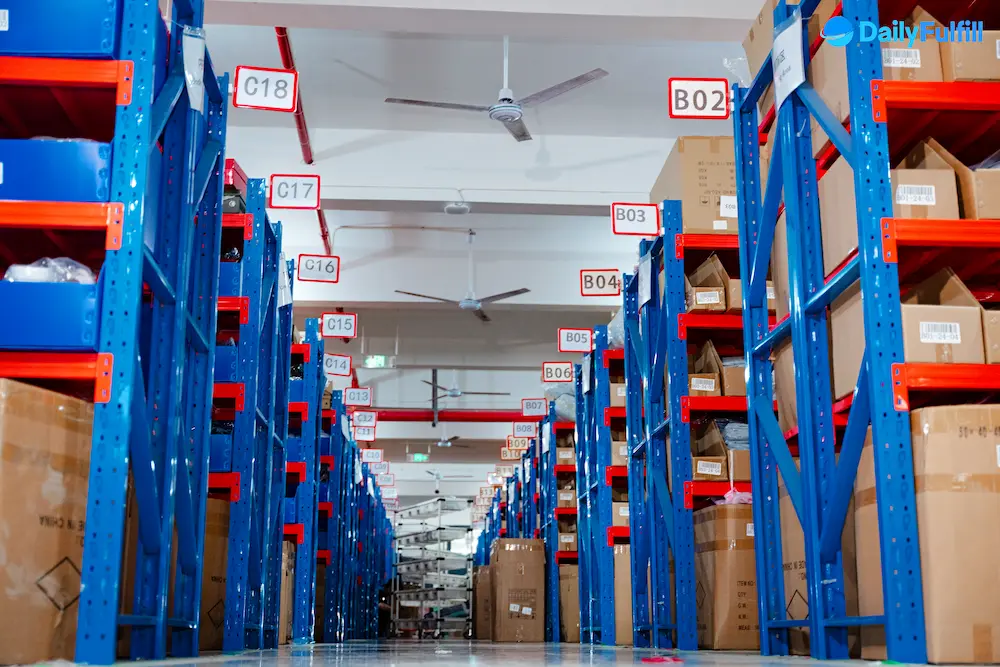
DailyFulfill fulfillment warehouse in China — order picking and packing operations
Inside DailyFulfill's China warehouse — shelving and inventory storage
DailyFulfill warehouse packing and order fulfillment area
DailyFulfill warehouse operations — staff processing daily orders
Warehouse photo — full view

FAQs

For the standard DailyFulfill workflow, no DailyFulfill WordPress plugin is required. Connect the store through the WooCommerce authorization process, then confirm the required permissions, store configuration, products, variations, SKUs, inventory source, and operating rules. Orders begin only after the connection, mapping, and scope are approved.

Multi-currency stores can be supported when the relevant order fields are available and mapped correctly. During onboarding, confirm the currency and payment fields, tax and shipping data, product and variation references, and the behavior of any multi-currency or multilingual plugin. Store-specific or unsupported data may require testing or manual review.

Pre-stocked, order-ready inventory confirmed before the agreed cut-off can usually be processed the same business day. Preparation time is separate from transit time. Estimated transit after dispatch is 6–12 days to the US and 3–8 days to Europe, depending on the destination, product, parcel data, customs, carrier route, and external conditions.

Both models may be possible, but they have different timing. Without pre-stocked inventory, supplier purchasing, supplier dispatch, warehouse receiving, discrepancy handling, and preparation happen before international transit begins. Pre-stocking suitable, stable products can reduce preparation uncertainty. The stock level, replenishment plan, and storage scope should be confirmed for the project.

The standard connection uses the WooCommerce authorization and API workflow rather than adding a DailyFulfill plugin to the site. Confirm the permissions and fields required for the agreed scope, and test any custom checkout, subscription, bundle, multi-currency, or other plugin-specific data. Access can be revoked, but open orders, tracking, inventory, and responsibility boundaries should be reconciled before disconnecting.

Approved orders can use blank packaging or agreed custom materials such as boxes, mailer bags, cards, inserts, stickers, and labels. The exact packing rule, MOQ, production cost, lead time, and storage eligibility depend on the packaging project. Packaging must be available and mapped to the correct product or order before dispatch.

First confirm the tracking event, carrier evidence, parcel condition, order record, and where the loss or damage occurred. Replacement, reshipment, refund, credit, a carrier claim, or another solution is determined by the evidence, confirmed cause, responsibility boundary, and agreed policy. There is no blanket automatic “100% compensation” promise.

Related blog

Find out some useful tips and use them in your own selling business on WooCommerce Dropshipping

01 02 03